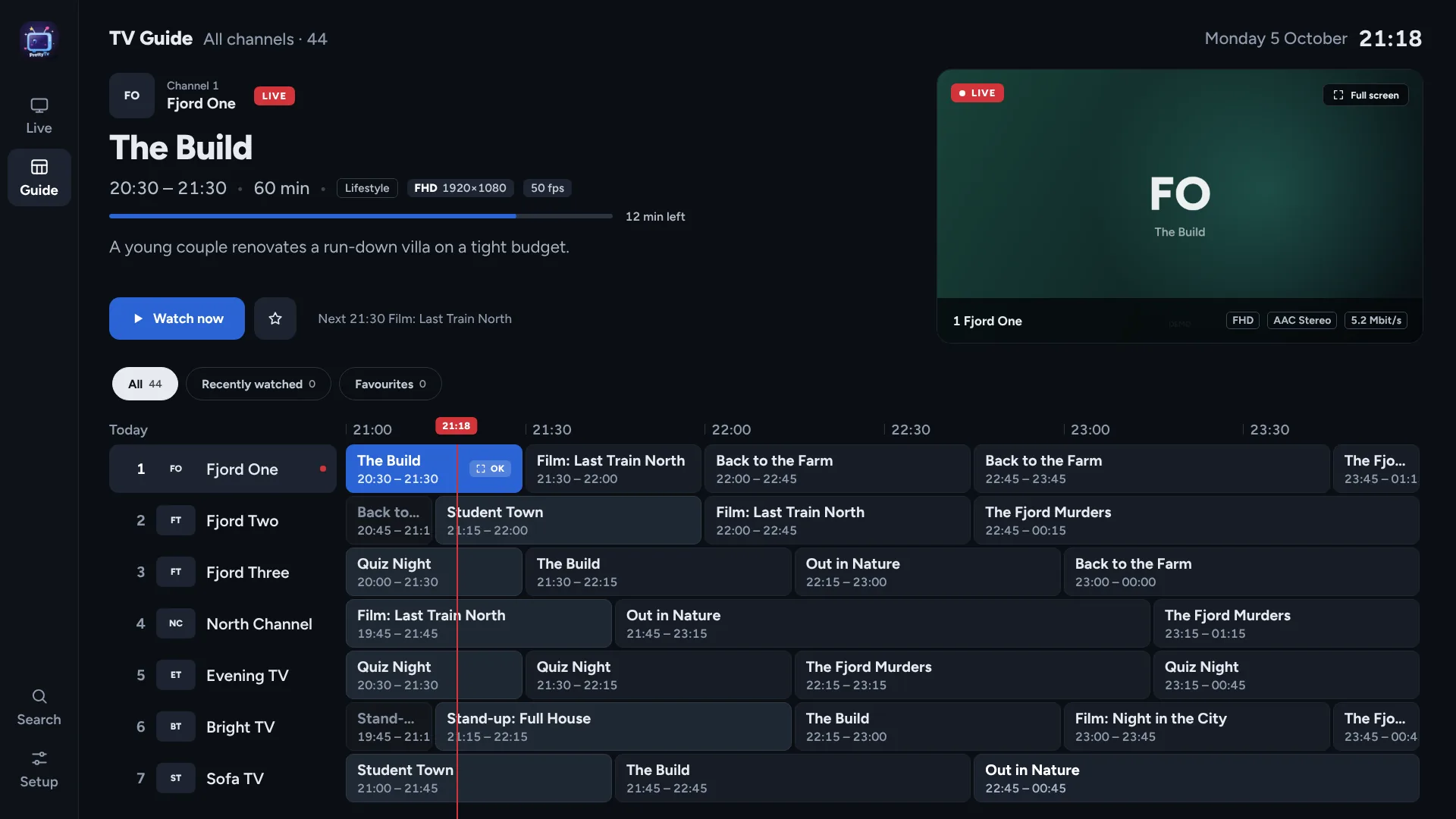
A TV guide that feels like television
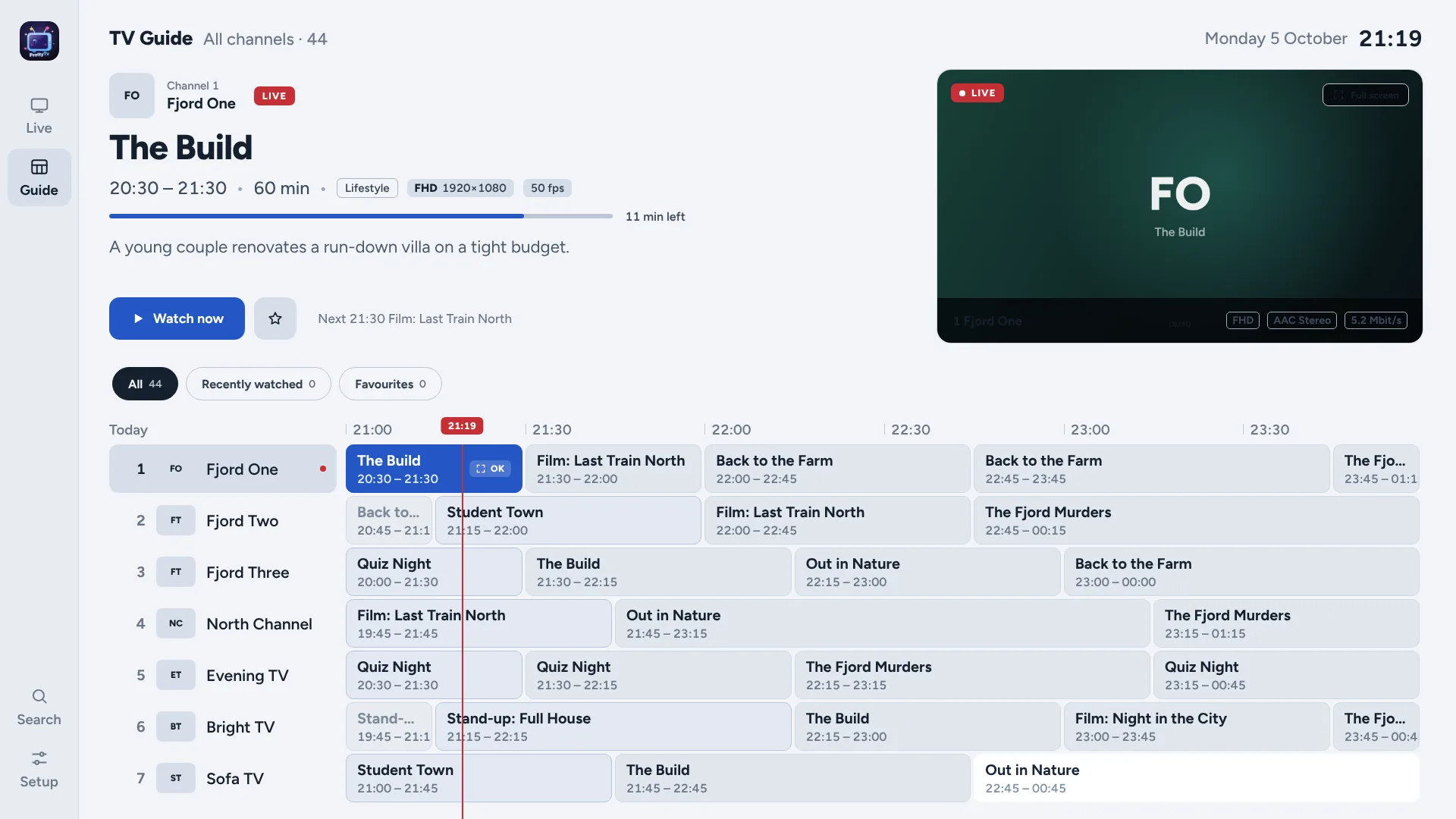
Hours of programmes at a glance, a live preview in the corner and a red now-line. Jump ±12 hours and set reminders for what’s coming.

Coming to TV and mobile app stores
PrettyTv is a fast IPTV player with a TV guide that feels like real television — built for the remote, gorgeous on a big screen, and just as good on your phone.

We don’t provide any IPTV playlists. PrettyTv is only a player and comes with no channels. We don’t provide, sell, link to or recommend any TV channels, films, series, playlists, providers or subscriptions. You add your own playlist from a provider you choose, and you’re responsible for having the right to watch it. Read the disclaimer.
We don’t track or save any of your data. No accounts, no analytics, no ads, no tracking. Your logins and playlists are encrypted and stay on your device — nothing is ever sent to us. Read the privacy policy.
Real screenshots from the app. The channels and programmes are PrettyTv’s made-up demo channels — the app itself comes with no content.
Hours of programmes at a glance, a live preview in the corner and a red now-line. Jump ±12 hours and set reminders for what’s coming.
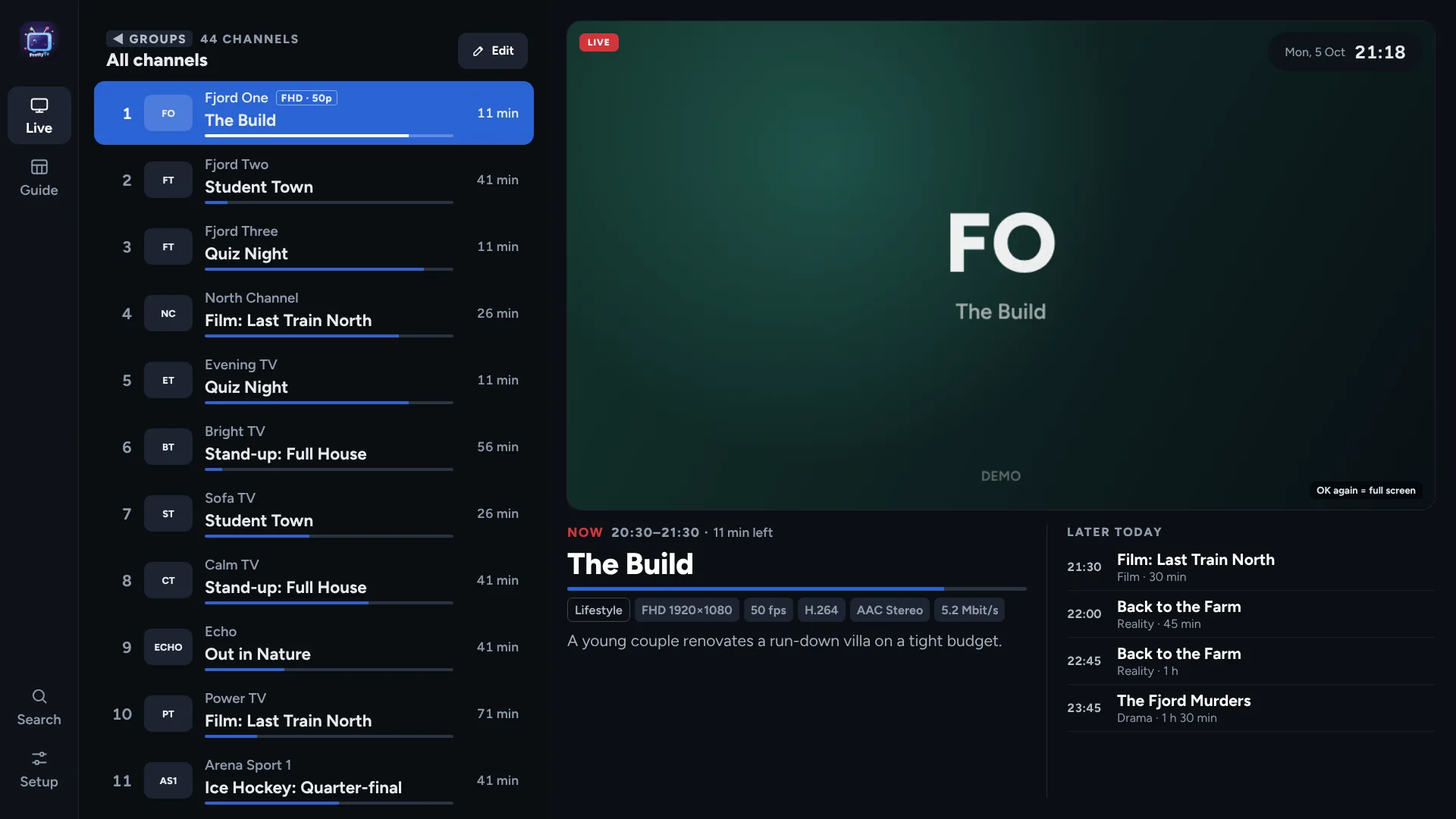
Press ◀ and the list slides in — what’s on, how far it’s come, and the rest of the evening, while the channel plays beside it.
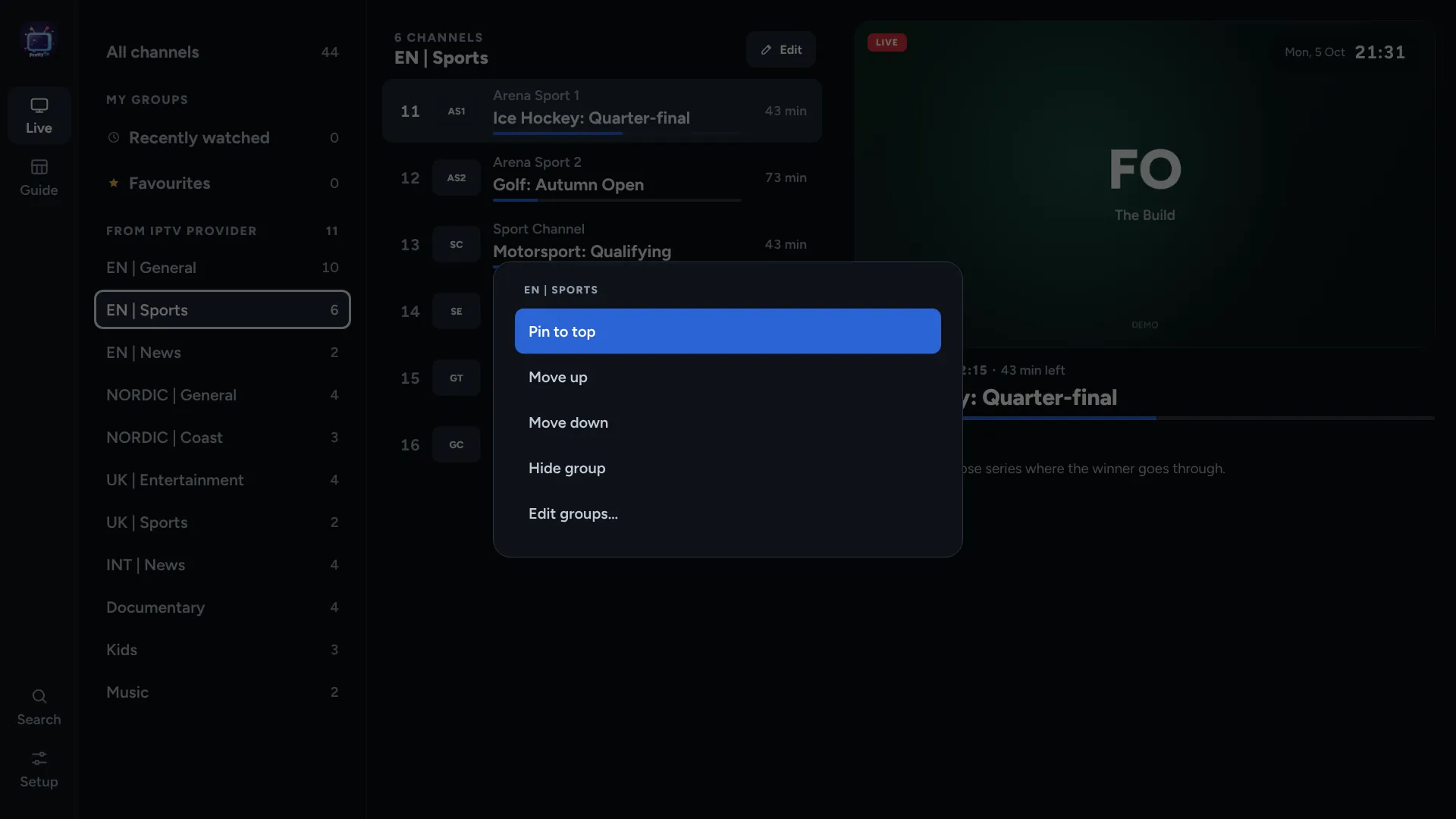
Hold OK on any group to pin it to the top, move it up or down, hide it, or lock it with a PIN.
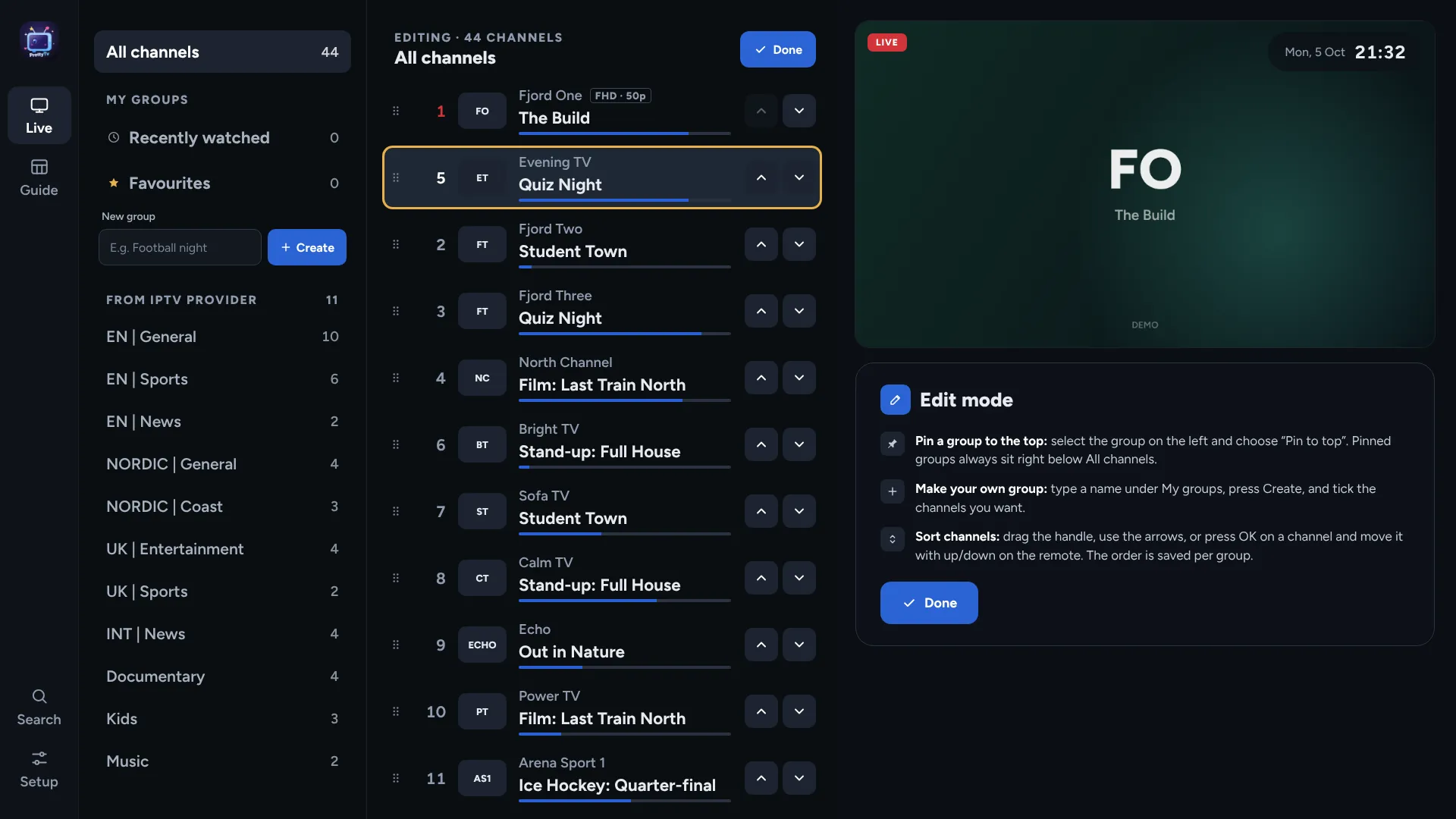
Edit mode lets you grab a channel and move it up or down with the remote. Every group keeps its own order.
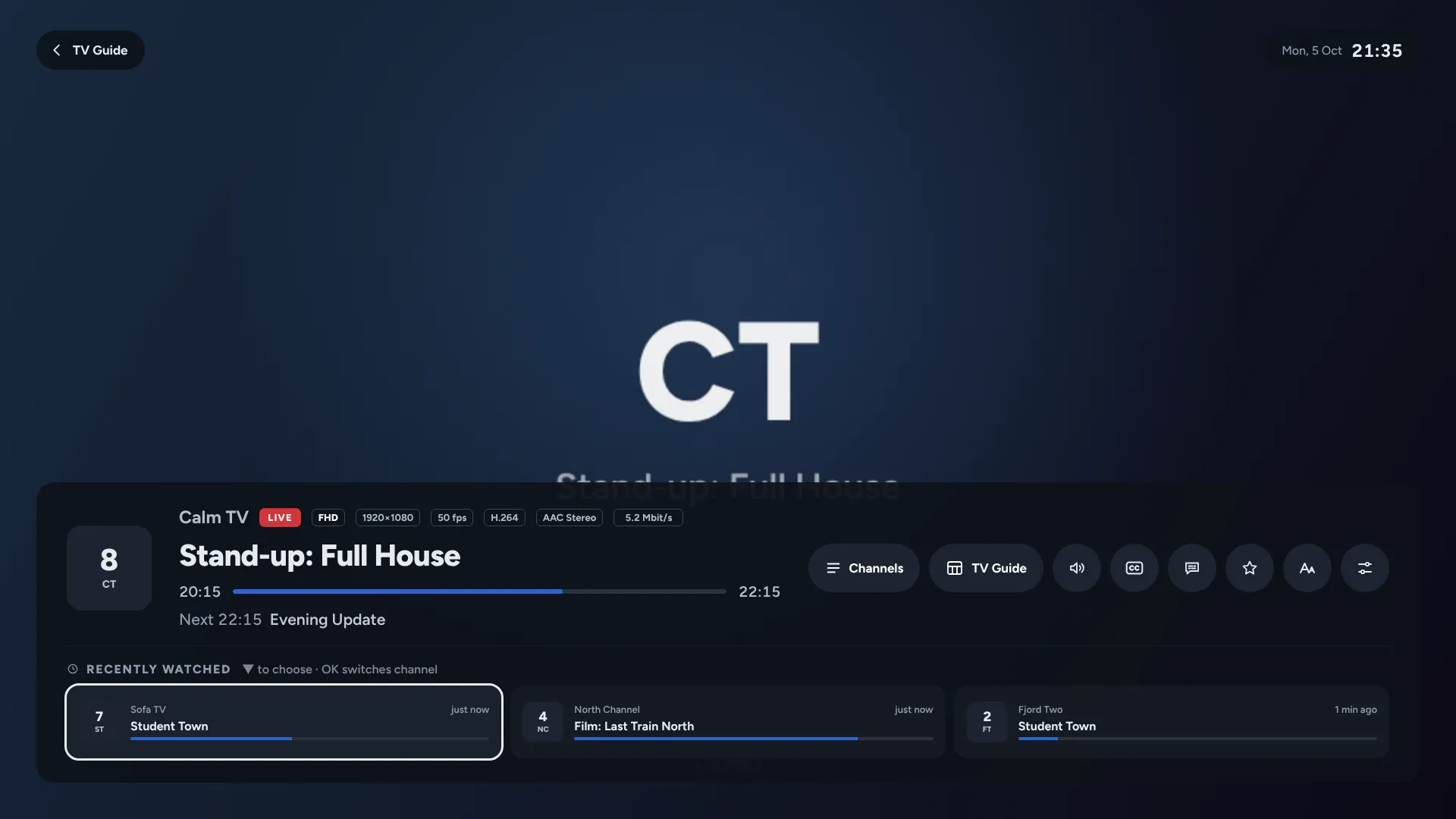
The channels you just watched sit right under the info bar. 0 jumps straight back to the previous one.
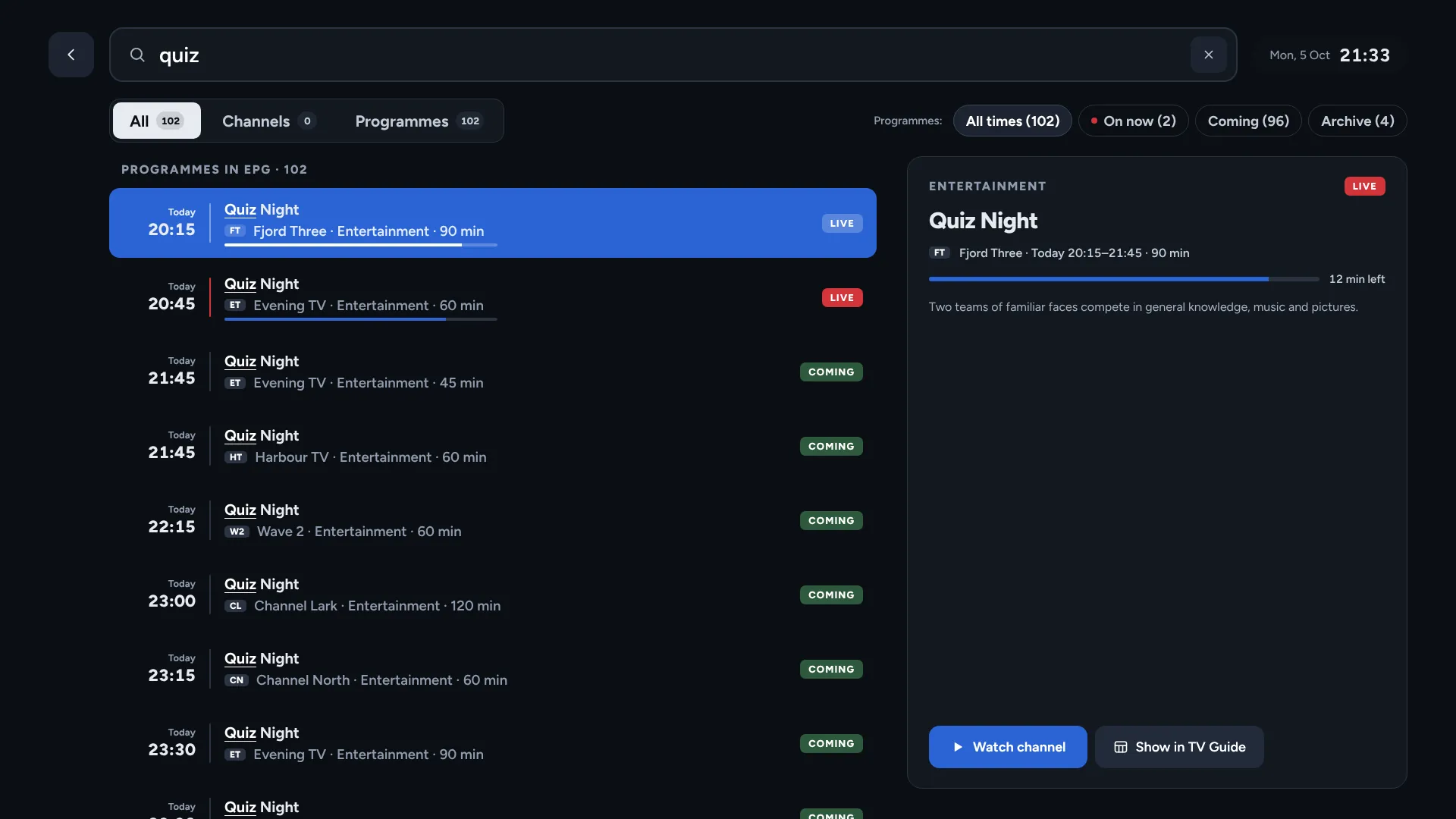
Channels and programmes in one search, with what’s on now, coming up and in the archive.
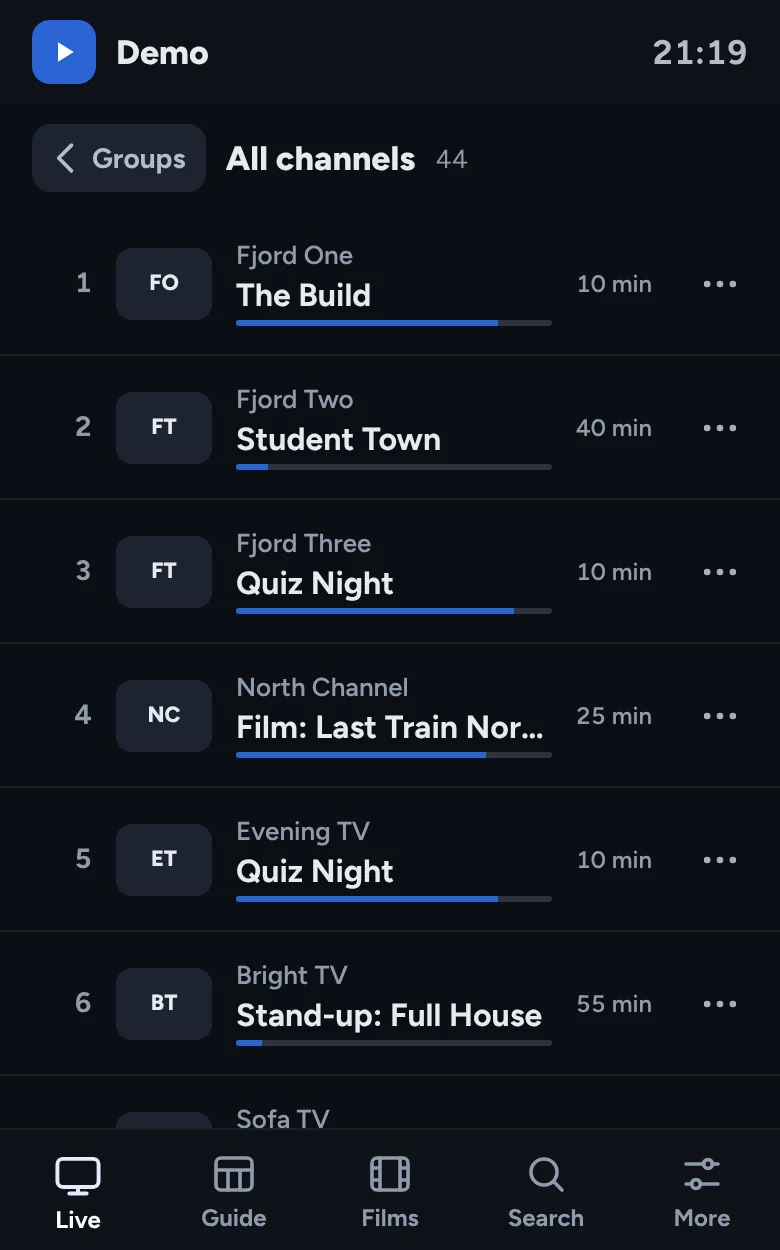
Tap to play, swipe to zap, turn the phone for full screen. Favourites and groups move between devices with a six-digit code.
Midnight, OLED black, High contrast and Light. Try them on this page — use the Skin button at the top.
Everything works with the arrows, OK and Back. Colour keys and number keys are shortcuts, never the only way. Pick a step, or use ◀ ▶.
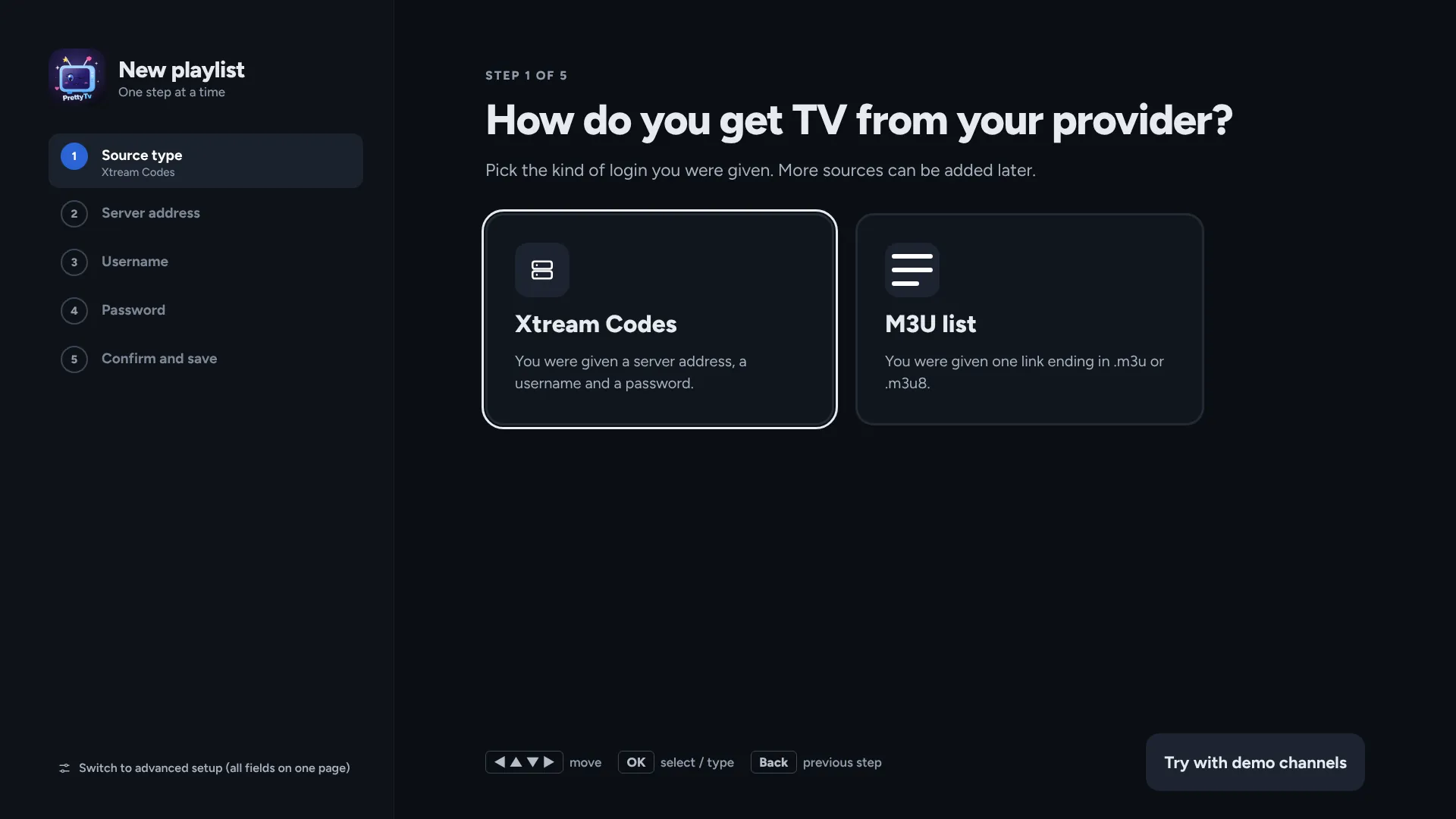
One question per screen: Xtream Codes or an M3U link, then server, username and password. The wizard recognises Xtream links by itself and finds the TV guide for you. Just looking? Try the demo channels.
Films and series (posters, plots, seasons, episodes and “continue watching”) appear when your playlist includes them.
Written from scratch for the remote control — so the guide, the channel list and the player all feel instant, even on a 2018 TV.
Live preview, group tabs, a now-line, ±12-hour jumps and reminders for upcoming programmes. Several XMLTV guides, also .xml.gz.
Channels and guide are cached, so the list is up in a fraction of a second. Only the rows you see are drawn.
Channels appear right away. Films and series load in the background and show up when they’re ready.
Put channels in Favourites or groups like “Football” and “News”, and give them your own channel numbers.
Lock any group with a PIN (parental control), and hide groups you never watch.
Posters, plots, seasons and episodes, with “continue watching”.
Pick audio language and subtitles, and see resolution, codecs and bitrate in the info bar.
Channels, programmes, films and series in one search. Back takes you where you came from.
Everything works with the arrows, OK and Back. Number keys, 0 for the previous channel, and a “recently watched” strip.
Four skins, interface size, row spacing, list widths and overscan calibration for every TV.
Send favourites and groups to another device on your home network with a six-digit code, or export them to a file.
Logins are encrypted on the device. No accounts, no tracking, no ads. Nothing is sent to us.
The same design and the same guide on your TV, your phone and your PC. Store releases are on the way — here’s the line-up.
Available devices and store links will appear here as each version is released.
From your TV’s or phone’s app store. Not ready to set up? Start with the demo channels.
Paste the M3U link or Xtream Codes login from your TV service. The wizard spots Xtream links by itself and finds the guide for you.
Channels appear right away; films, series and the guide fill in while you watch. Add more setups — “Home”, “Cabin” — whenever you like.
No. PrettyTv is only a player. It contains no channels, films, series or playlists, and we don’t sell or recommend any. You add a playlist (M3U) or an Xtream Codes login from a provider you choose yourself. The only built-in content is a set of made-up demo channels that show how the app works.
From a TV or IPTV service you subscribe to. Many legal services — operators, broadcasters and licensed IPTV providers — give their customers an M3U link or an Xtream Codes login. We have no relationship with any provider and can’t help you find one.
Please only use content you have the right to watch.
Playlists in M3U/M3U8 and Xtream Codes logins, TV guides in XMLTV (also .xml.gz) or straight from Xtream. Streams in HLS and MPEG-TS work on every platform; other formats depend on the device’s own player.
Your server address, username, password and playlist links are stored encrypted on your device (Android Keystore, Windows DPAPI, or a non-exportable WebCrypto key on TVs). They’re only ever sent to the server you entered. We never see them.
The price is set in each app store and shown in the app before you buy. The app is free to install and fully open for 7 days. After that, playback in the Google Play and Samsung versions needs Premium, monthly or yearly. The demo channels are always free. See Premium.
In the store you bought it from — Google Play or your Samsung account on the TV. Cancelling takes effect at the end of the period you’ve paid for. Step-by-step guide.
No. There are no accounts, no analytics, no ads and no tracking. Everything stays on your device. Read the Privacy Policy.
English, Norwegian, Swedish, Danish, French, Spanish and Italian.
We read every e-mail. Usually answered within a few days.